Audio Damage EOS v2.2.1 WIN MacOS LIN Retail-ArticStorm
Eos 2.0 was a massive update our Eos algorithmic reverb. For version 2.1 we rebuilt Eos from bare metal, increasing stability and compatibility across all platforms. The all new user interface is fresher looking as well as more amenable to touch control. This, combined with its new preset management
资源介绍
ArticStorm | 29.09.2021 | 31MB | Windows, MacOS, Linux
Eos 2.0 was a massive update our Eos algorithmic reverb. For version 2.1 we rebuilt Eos from bare metal, increasing stability and compatibility across all platforms. The all new user interface is fresher looking as well as more amenable to touch control. This, combined with its new preset management makes Eos 2.1 a breeze to use on any device.
FEATURES
Bespoke Reverb Algorithms
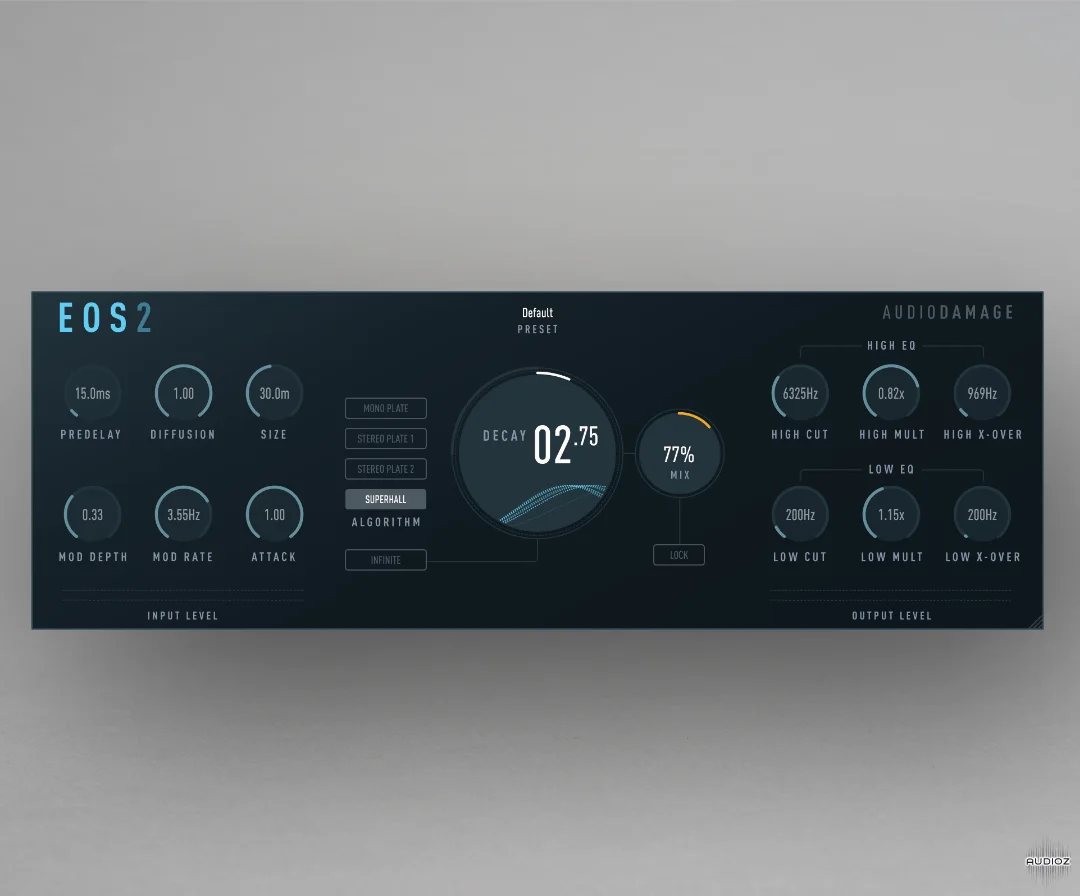
Eos includes four high-quality, studio grade custom-designed reverb algorithms: Three different plate simulators and the Superhall algorithm for expansive dense and rich reverbs with gentle modulation.
Flexible Sound Shaping
Eos' reverb parameters (pre-delay, diffusion/density, size, attack and decay), offer precise control over the plugin’s spatial characteristics.
Modulation
Rate and depth controls apply time-varying changes to the delay lines within the reverberators, making the effect sound more realistic when used gently and otherworldly at extreme settings.
Filtering and Frequency Shaping
On top of a pair of simple EQ filters (low cut and high cut) at the reverberators' inputs, Eos allows the user to adjust the way in which high and low frequencies decay, altering the tonal quality of the reverb tail.
Infinite Decay
The reverberators' decay time can be set to infinity, freezing any input signal, somewhat like a looped sample. A setting suited to creating unusual effects, providing ample sound design possibilities.
Mix and Lock
Adjust the balance between the dry input and the effect signal. With the LOCK button engaged, the Mix parameter will not change when loading presets.
Mono In, Stereo Out
Eos can be used in a mono-in/stereo-out or stereo-in/stereo-out context. It creates a stereo reverb output even if the input signal is mono.
Cross-Platform Preset Format
Eos utilizes an XML-based preset manager. Work between multiple systems without troubles, make a preset on your desktop machine and paste it to the iOS version with Handoff, easily share your creations with your friends, or make a preset bundle to sell.
Fully Resizable Hi-Dpi/Retina GUI
Eos 2’s vector-based GUI is resolution-agnostic, and displays the same on every system and resolution. Easily resize the UI (per instance) to match your visual needs, from postage stamp to poster-sized.

![Arturia V Collection July 2021 (WiN) [MORiA]](https://iili.io/nverYnj.webp)