Audiolatry Retromania Lite v1.0.0 x64 VST VST3 AU WiN MAC [免费]
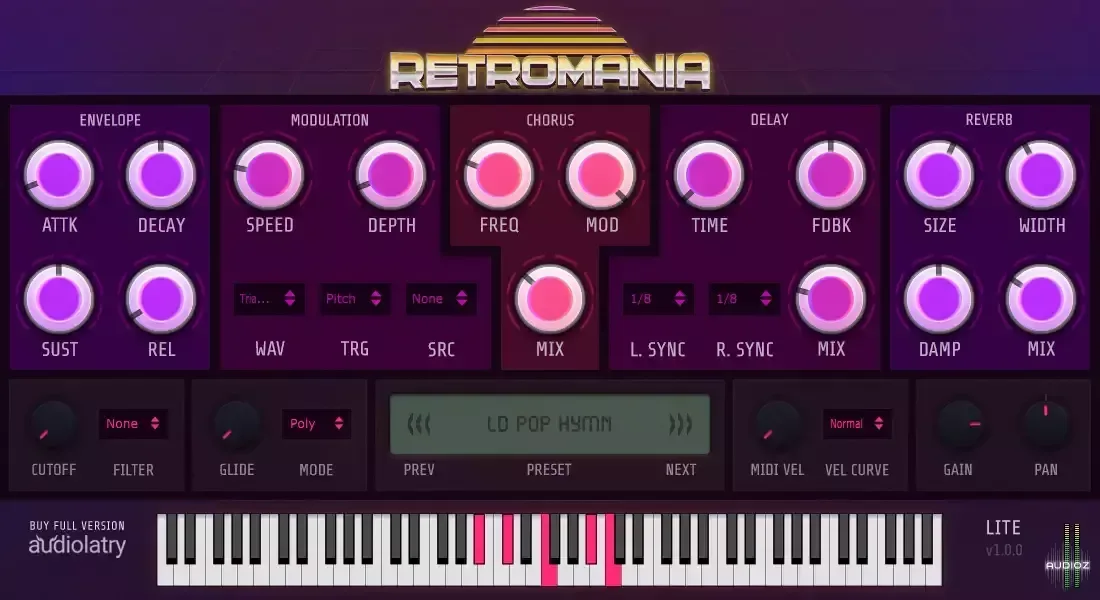
Metromania Lite is the free version of Retromania, the virtual instrument filled with inspiring sounds for creating 80s Pop and Synthpop music. The only difference between the two versions is the number of presets. The free Lite version has 12 presets compared to the 125 found in the commercial vers
资源介绍
FREE | WiN/MAC | 489MB/739MB
Metromania Lite is the free version of Retromania, the virtual instrument filled with inspiring sounds for creating 80s Pop and Synthpop music.
The only difference between the two versions is the number of presets. The free Lite version has 12 presets compared to the 125 found in the commercial version. There are no limitations, everything is functional.
With a decent variety of classic synth sounds, customizable parameters, and built-in effects, users can easily create authentic, vintage synth sounds reminiscent of the iconic pop music of the 80s.
Parameters include ADSR envelope, LFO modulation, highpass/lowpass filter cutoff, and glide. The plugin also comes equipped with 3 effect modules: chorus, delay, and reverb.
Retromania Lite is aimed at those looking for an authentic vintage sound, whether they’re producing an 80s-inspired Pop track or simply want to add some retro flair to their contemporary music (Pop, EDM, Rnb, Hip Hop, etc).
FEATURES
274 MB extracted size / 246 MB download size
12 presets
ADSR section
LFO modulation section
lowpass/highpass filter cutoff
voice mode & glide
velocity curve & MIDI velocity selectors
reverb module
chorus module
delay module
global gain & pan
100% royalty-free
VST/VST3 64-bit Windows & VST/VST3 & AU macOS
PC REQUIREMENTS
Windows 8.1 64-bit to Windows 11 64-bit
2 GB of RAM
271 MB hard disk space
VST2 or VST3 64-bit host
MAC REQUIREMENTS
El Capitan to Monterey
2 GB of RAM
274 MB hard disk space
VST2, VST3 or AU 64-bit host
INSTALLATION
Windows
VST – copy/paste the extracted folder to: C:\Program Files\VSTPlugins
VST3 – copy/paste the extracted folder to: C:\Program Files\Common Files\VST3
macOS
VST – copy/paste the folder to: Macintosh HD/Library/Audio/Plug-ins/VST/
VST3 – copy/paste the folder to: Macintosh HD/Library/Audio/Plug-ins/VST3/
AU – copy/paste Retromania Lite.component and Retromania Lite.instruments to: Macintosh HD/Library/Audio/Plug-ins/Components/
相关推荐

效果器插件
Slate Digital MetaTune v1.2.3.0 U2B macOS 阅读 NFO-GUISEPPEv1.2.3.0
效果器插件
Slate Digital MetaTune v1.2.3.0 WiN 独立 VST2/VST3v1.2.3.0
效果器插件
ArtsAcoustic - Reverb 1.6.0.15、BigRock 1.0.7、CL Series 1.0.19、VST x86 x64(无需安装,SymLink 安装程序)[19.03.2017]
效果器插件