Big Fish Audio - Momentum (Loops Sculpting Multi-Functional Suite) v1.2.0 x64 x86 VST AU AAX WiN MAC [FREE]
MOMENTUM unlocks the potential of your loops and samples with the next generation of sound sculpting tools. Momentum is the next generation of KLI. This plugin is a powerful loop transformation platform that allows you to slice, stretch, change the key, rearrange, and compose from multiple samples a
资源介绍
19.04.2021 | x64 x86 VST AU AAX WiN MAC | 129 MB
LOOPS WITHOUT LIMITATIONS | NEXT GENERATION OF SOUND SCULPTING
MOMENTUM unlocks the potential of your loops and samples with the next generation of sound sculpting tools.
Momentum is the next generation of KLI. This plugin is a powerful loop transformation platform that allows you to slice, stretch, change the key, rearrange, and compose from multiple samples and sources, as well as find that perfect one-shot inside your loop. You also have access to Big Fish Audio’s world-famous loop libraries right inside the plugin. And unlike other loop platforms, Momentum is completely free and doesn’t have any subscription fees.
Slice Effects
Apply 18 different effects to specific sections of your loop. Alter each slice individually with effects like pitch, stutter, delay, reverse, and more.
Load Your Own Samples
Drag and drop any WAV or AIFF file into the plugin and use the power of Momentum to create something new.
Smart BPM and Key Stretching
Stretch your loops beyond conventional BPM and key limits by adding custom slice information to your sounds.
Edit With MIDI
Each slice gets automatically assigned its own MIDI note so you can rearrange and play loops in a way that fits your music.
One-Shot Engine
Find those perfect one-shots in any section of a loop or sample. Simply slice and play.
Industry Leading Store
With built-in access to Big Fish Audio’s award-winning libraries, you have hundreds of thousands of professional loops and sounds at your fingertips.
Works with all leading DAWs
1.8GB Of Free Content
Free kits from six of Big Fish Audio’s top loop libraries across multiple genres.
Access Your Files Anywhere
Your Momentum purchases are available to download at any time no matter where you’re making music.
Your KLI Purchases In The Plugin
All your previous purchases of KLI branded products are ready to be used inside Momentum.
Minimum System Requirements
Windows 7 or higher
Intel i3 / 2.27 GHz
4GB RAM
2GB free disk space
1440x900 screen resolution
Internet connection
MacOS 10.11 El Capitan
Dual-core i5 / 2.3 GHz
4GB RAM
2GB free disk space
1440x900 screen resolution
Internet connection
New Features in 1.2.0:
“ORIGINAL” now appears in front of the key and BPM fields for a sample on the slice page, indicating that these fields are for a sample’s original information
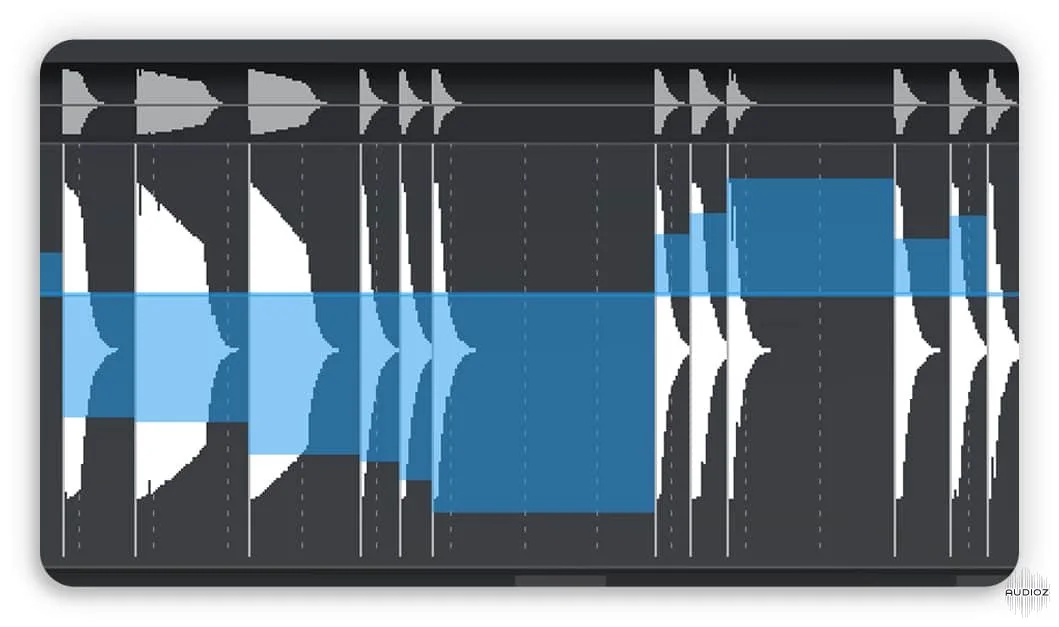
Slice Effect “Overlay”: While editing a particular slice effect parameter on the waveform, the levels of the other parameters can be viewed
In the lower area of the waveform, there is now a bar / beat grid
Mouse Waveform Zoom Functions (horizontal zoom, horizontal scroll, vertical zoom)
New options for slice editing including snap slices to grid, snap start/end to grid, reset slices, and clear slices
Latch Mode is now available on the slice page
Input Q is now available on the slice page
Values now display next to the mouse pointer when slice effect levels are adjusted on the waveform
Adjusting the key via the kit key section of the keyboard now makes immediate changes to audio playback
Tremolo/Pan effect now has a beat related rate when synced
Individual effect parameters can now be reset to default by using Command(control on windows)+click
Compressor “output” parameter is now labeled “makeup gain”
Several groups (channels) can now be soloed at once
Resizable GUI
Bug Fixes:
Fixed a bug where users were asked to login multiple times while downloading a product
Fixed a bug where the start and end markers could not be moved
Fixed a bug where song section indicators would stop working after a user sample was added
Fixed a bug where song section indicators would stop working after a kit was saved then reloaded
Fixed a bug where the number of queued downloads in the browser was incorrectly calculated
Fixed a bug where any clickable item in Momentum would take over the DAW’s return key functionality
Fixed a bug where the download icon would remain next to a kit even when it was already downloaded
Fixed a bug where adding slices by a 1/16th note grid did not line up perfectly
Fixed a bug where the zoom on the waveform did not reset when switching between samples
Fixed a bug where slice effect defaults were not reset when a kit was loaded
Fixed a bug where when using the stutter slice effect, depending on the length of a slice, too many stutters would play back
Fixed a bug where low-resolution assets were being used on some systems
Fixed a bug where when multiple samples were playing, the playhead was only active for the most recent sample triggered
Fixed a bug where the Filter “resonance” knob was being incorrectly displayed for some modes







