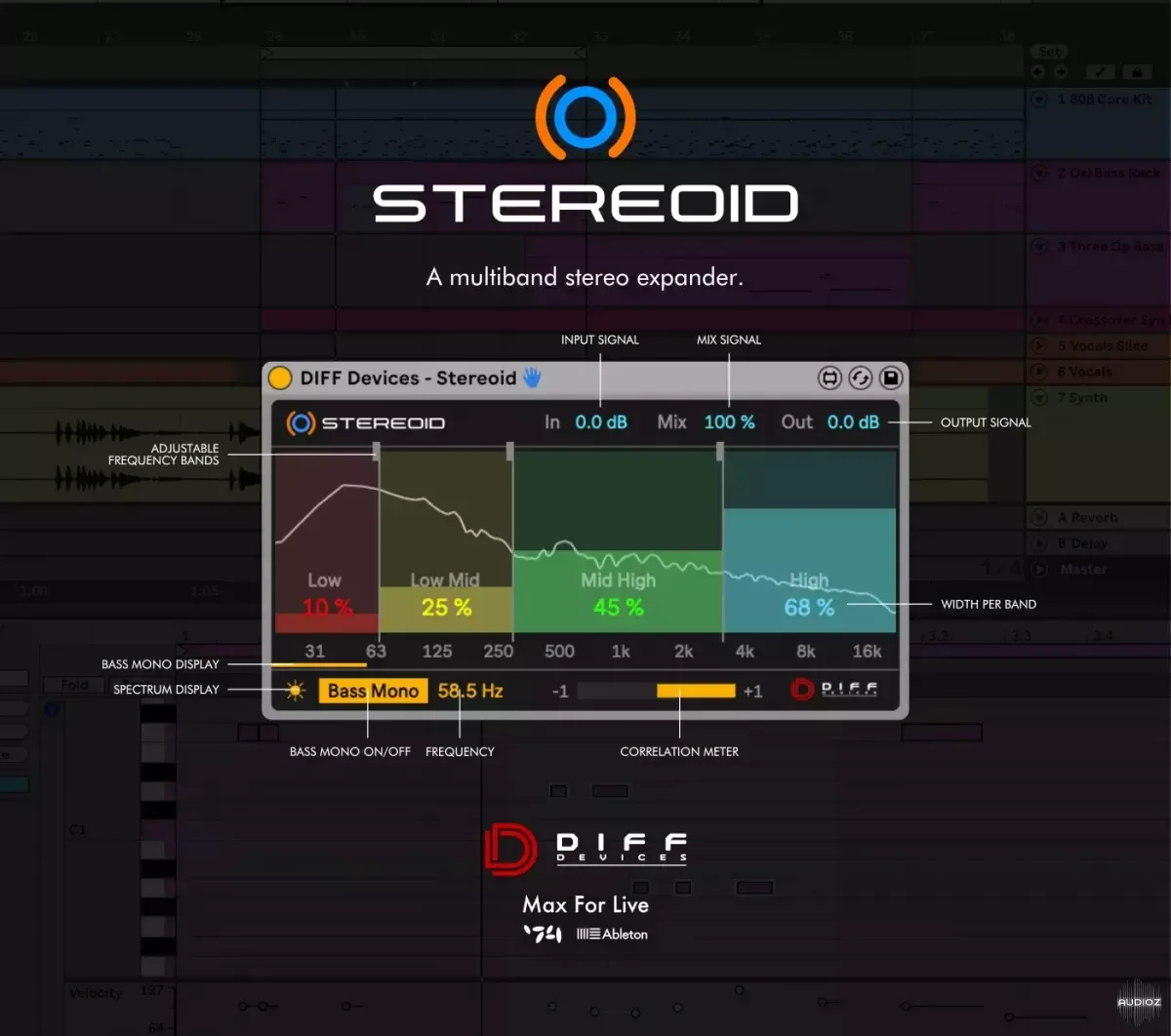
DIFF Devices STEREOID Max for live device (Win + Mac)
STEREOID is an impressive Max for Live device to precisely adjust stereo width on your tracks or your master. FEATURES 1.0: - Stereo Width per band ( 4 bands ) - Adjustable Frequency bands - Bass Mono On/Off - Spectrum display - Correlation Meter - Mix Signal - GUI match Ableton Live Themes INSTALAT
资源介绍
AMXD | 516.77 KB
STEREOID is an impressive Max for Live device to precisely adjust stereo width on your tracks or your master.
FEATURES 1.0:
- Stereo Width per band ( 4 bands )
- Adjustable Frequency bands
- Bass Mono On/Off
- Spectrum display
- Correlation Meter
- Mix Signal
- GUI match Ableton Live Themes
INSTALATION & USAGE GUIDE
Inside the zip file you have an file :
-
DIFF Devices - Stereoid.amxd
-
Save the .amxd file anywhere on your computer or in a folder that you previously saved your maxforlive devices.
-
Drag and drop the device into a midi track.
-
Click on save (on the right hand side of the window: with a 'floppy disk' icon)... (Check Manual.)
-
This will automatically save the device to your ‘User Library’ folder in ‘Places’ (the ‘head outline’ icon), and will also save a '.adv' file which can be used to store your favourite initial setup.
-
You’re good to go.
SYSTEM REQUIREMENTS
- MAC & WIN
-
Only works in Ableton Live with Max installed.
-
It Requires Ableton Live V11 (minimum).
-
M1 Mac Compatible.
相关推荐
效果器插件
ArtsAcoustic - Reverb 1.6.0.15、BigRock 1.0.7、CL Series 1.0.19、VST x86 x64(无需安装,SymLink 安装程序)[19.03.2017]
效果器插件
Xfer Records OTT v1.21 x64 x86 VST AU AAX WiN MAC [免费]v1.21


效果器插件
iZotope Photon v2027.0.10 - VRv2027.0.10


效果器插件