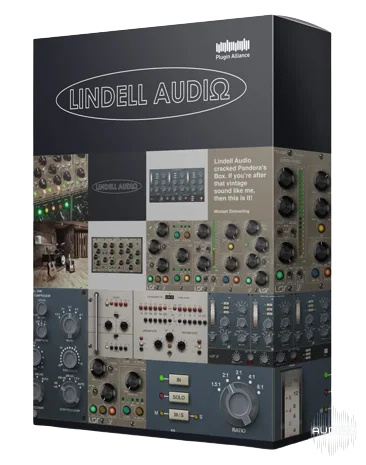
Lindell-插件联盟全包 2025.6-TeamCubeadooby
Developed by LSR-Audio & distributed via Plugin Alliance: Included: Lindell 6X-500 v1.2.2 Lindell 7X-500 v1.2.2 Lindell 50 Series v1.0.4 Lindell 69 Series v1.0.0 Lindell 80 Series v1.0.6 Lindell 902 De-esser v1.0.2 Lindell 254E v1.2.2 Lindell 354E v1.0.4 Lindell ChannelX v1.2.2 Lindell EQ825 v1.0.0
资源介绍
TeamCubeadooby | 06 June 2025 | 226 MB
Developed by LSR-Audio & distributed via Plugin Alliance:
x64: AAX, VST3, VST2 | x86: VST3, VST2 + JBridge
Included:
Lindell 6X-500 v1.2.2
Lindell 7X-500 v1.2.2
Lindell 50 Series v1.0.4
Lindell 69 Series v1.0.0
Lindell 80 Series v1.0.6
Lindell 902 De-esser v1.0.2
Lindell 254E v1.2.2
Lindell 354E v1.0.4
Lindell ChannelX v1.2.2
Lindell EQ825 v1.0.0
Lindell MBC v1.0.4
Lindell MU-66 v1.0.0
Lindell PEX-500 v1.2.2
Lindell SBC v1.0.4
Lindell TE-100 v1.1.3
1x Old previous release note, kept for information purposes:
TCD Notes just because because -
50 Channel receives some new base presets as well as a
compilation folder of or from Dylan 3d Dresdow, in VST3
presets. The AAX remains with only 13.
It is not a mistake about 50 Buss only having default
preset. This is how Plugin Alliance installed it,
and it is the same as last time, too.
50 Buss and 50 Channel no longer have x86 modules.
For this release though, the previous x86 modules are kept in
and there are no changes to JBridge for them. The changelog
of "UI refresh" is not compelling enough to drop the
native x86 here.
SO - You do NOT have to consider changes when installing, if
you are upgrading.
Just, click click click mindless OK.
2x Old previous release note regarding MU-66,
kept for information purposes:
TCD Note - It is highly suspected that version 1.0.1 will be
out soon, as Plugin Alliance forgot to include VST3 presets.
The AAX plugin has presets because it is internal architecture
to the plugin itself; i.e.: The presets are in the .aaxplugin folder,
formatted for it as such. They were obviously present.
Just install! Same AppID as previous release.
Plugins will show up under "Plugin Alliance" in
your DAW. Enjoy!
相关推荐
效果器插件
ArtsAcoustic - Reverb 1.6.0.15、BigRock 1.0.7、CL Series 1.0.19、VST x86 x64(无需安装,SymLink 安装程序)[19.03.2017]
效果器插件
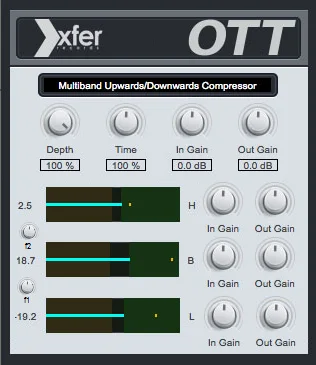
Xfer Records OTT v1.21 x64 x86 VST AU AAX WiN MAC [免费]v1.21


效果器插件
iZotope Photon v2027.0.10 - VRv2027.0.10


效果器插件