
马科斯·田中 MusicHarbor v5.3.9 macOS
MusicHarbor is a macOS music release tracking app designed for music lovers, allowing you to instantly track your favorite artists' albums, singles, EPs, music videos, news, and concert updates. Users can quickly import artists they follow from Apple Music, Last.fm, or local music libraries, with al
资源介绍
macOS | 10.2026 | 35.5 MB
MusicHarbor is a macOS music release tracking app designed for music lovers, allowing you to instantly track your favorite artists' albums, singles, EPs, music videos, news, and concert updates. Users can quickly import artists they follow from Apple Music, Last.fm, or local music libraries, with all data stored locally on the device and seamlessly synced between iPhone, iPad, and Mac via iCloud, without registering an account.
The app displays new releases by chronology, supports filtering by album, single, EP, remix, live recording, original soundtrack, and more. It also allows preview of upcoming albums and automatically adds release dates to calendars. Users can browse music charts in various countries and genres to discover new artists and review previous releases celebrating album anniversaries. The music video section tracks newly released official MVs, lyric videos, interviews, and live performances in real time, and browses popular music video charts by country and genre. The News & Concerts section brings together the latest updates from artists you care about. You can find upcoming concerts and events on Songkick, and also read album reviews from platforms like Pitchfork, AllMusic, and Rate Your Music. Streaming service integration allows new releases to be added directly to Apple Music's music library and playlists, or to open albums on dozens of platforms such as Apple Music, YouTube Music, and Deezer. Widgets and shortcuts support viewing the latest releases on the home screen, lock screen, and control center. Powerful shortcut actions enable advanced word filtering for advanced automation. Personalization offers 35 backup icons to match home screen styles, with adjustable layout and information density, bookmarks for albums and videos for instant review, and supports both light and dark modes. MusicHarbor lets music lovers say goodbye to missing out on new works from beloved artists. The interface is simple, user-friendly, and the operation is smooth, making it an ideal tool for catching up to new music.
Function
MusicHarbor is a macOS app that helps music lovers get the first updates on the latest releases from their favorite artists, making music discovery easy and efficient through automatic tracking and intelligent integration.
Release tracking : Automatically follows every new album, single, and EP released by artist and record label, presented by chronological order. Supports filtering by album, single, EP, remix, live recording, original soundtrack, and more. Preview upcoming releases and add dates to your calendar, as well as review previous releases to celebrate anniversaries
Music video tracking : Real-time tracking of newly released music videos, supporting official MVs, lyric videos, interviews, and live performance categories, and browsing popular music video rankings by country and genre
Information and concerts : Bring together the latest artist news in one place, find upcoming concerts and events on Songkick, and read professional album reviews from platforms like Pitchfork, AllMusic, and Rate Your Music
Streaming integration : Add new releases directly to Apple Music's music library and playlists, or open albums on dozens of platforms such as Apple Music, YouTube Music, and Deezer
Widgets and shortcuts : Supports checking the latest releases anytime via home screen, lock screen, and control center widgets. Powerful shortcut actions support word filtering for advanced automation
Personalized customization : Offers 35 backup icons to match home screen styles, adjustable layout and information density, bookmarks for albums and videos, and supports both light and dark color modes
Data synchronization and privacy : Import artists from Apple Music, Last.fm, or local music libraries and start using them in seconds. All data is saved locally on your device and synced across iPhone, iPad, and Mac via iCloud, without the need to register an account
Explore and discover : Explore rankings by country and genre to discover new artists, with the Time Capsule feature reviewing previous releases from the same period and revisiting classics
I found a solution for both crashes and Failed to Load Database errors.
-
Go to System Preferences > Security & Privacy > Full Disk Access.
-
Turn on MusicHarbor. If you don’t see MusicHarbor, click the + button to add it.
相关推荐
效果器插件
ArtsAcoustic - Reverb 1.6.0.15、BigRock 1.0.7、CL Series 1.0.19、VST x86 x64(无需安装,SymLink 安装程序)[19.03.2017]
效果器插件
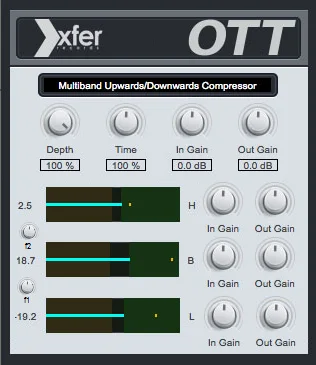
Xfer Records OTT v1.21 x64 x86 VST AU AAX WiN MAC [免费]v1.21


效果器插件
iZotope Photon v2027.0.10 - VRv2027.0.10


效果器插件