Native Instruments Komplete Kontrol v2.0.2 macOS
THE KOMPLETE INSTRUMENT Bold design, superior build quality, and premium Fatar keybeds in four sizes Intuitive Smart Play features inspire musical creativity Total connectivity – NKS for superior plug-in integration, plus full VST, DAW and hardware control WELCOME TO KOMPLETE KONTROL The KOMPLETE KO
资源介绍
P2P | macOS | 344MB
THE KOMPLETE INSTRUMENT
Bold design, superior build quality, and premium Fatar keybeds in four sizes
Intuitive Smart Play features inspire musical creativity
Total connectivity – NKS for superior plug-in integration, plus full VST, DAW and hardware control
WELCOME TO KOMPLETE KONTROL
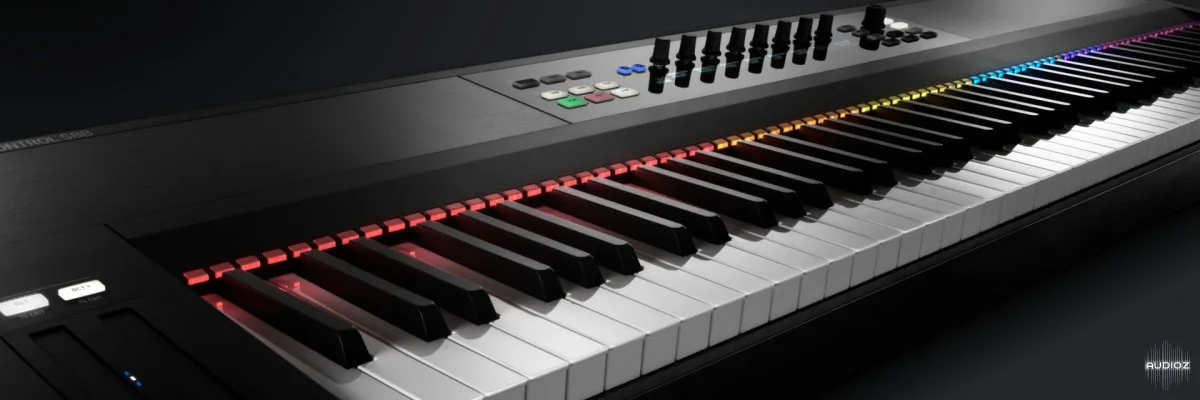
The KOMPLETE KONTROL S-Series combines smart, elegantly-designed keyboards with advanced control software to form a fully integrated centerpiece for studio and stage – matchless control over all your software instruments from one award-winning keyboard.
THE LATEST EVOLUTION – WHAT’S NEW
The KOMPLETE KONTROL software is constantly evolving, and the latest software update is the biggest yet. It introduces Native Kontrol Standard® (NKS) – a new plug-in format which unlocks KOMPLETE KONTROL so that third-party instruments can access the Light Guide, Smart Play features, and more – with all instrument parameters intelligently mapped. VST support opens the gates to your entire software instrument library. And welcome KOMPLETE KONTROL S88 – a pro keyboard with fully weighted, hammer-action keys.
Komplete Kontrol 2.0.2 — 2018-05-16
FIXED Intermittent log shown when quitting KOMPLETE KONTROL
Komplete Kontrol 2.0.1 — 2018-05-15
After updating KOMPLETE KONTROL or installing a new KOMPLETE or NKS instrument, run KOMPLETE KONTROL as a stand-alone application before using it as a plug-in
When running the stand-alone version of KOMPLETE KONTROL for the first time, open Preferences > MIDI and enable all MIDI input ports for the KOMPLETE KONTROL S-Series keyboard
For host integration setup, refer to the online KOMPLETE KONTROL documentation. KOMPLETE KONTROL S-Series MK1 and MK2 users upgrading from a previous version of KOMPLETE KONTROL MUST replace their Ableton Live scripts for Ableton Live integration to function correctly. Please refer to the KnowledgeBase article Setting Up Ableton Live for KOMPLETE KONTROL
ADDED MIDI Mode Keybed Assignment for KOMPLETE KONTROL S-Series MK2 keyboards
-
Create key splits, assign MIDI channel, transpose, and set the Light Guide color for KOMPLETE KONTROL S-Series MK2 keyboards in MIDI mode
-
Configure via the MIDI Assignment editor in KOMPLETE KONTROL Standalone software
ADDED Rename MIDI Templates for KOMPLETE KONTROL S-Series MK2 keyboards
ADDED KOMPLETE KONTROL S-Series MK2 Accessibility for Windows
Windows support for KOMPLETE KONTROL S-Series MK2 keyboard accessibility features for visually-impaired users (previously macOS only)
IMPROVED KOMPLETE KONTROL shows hosted plug-ins that are missing on the system with an “!” icon
IMPROVED KOMPLETE KONTROL S-Series MK2 always switches to the PLUG-IN page after loading a Preset in the BROWSER
FIXED Crash when dragging MIDI patterns from KONTAKT Instruments to the host
FIXED Crash when closing KOMPLETE KONTROL plug-in window with Softube Heartbeat
FIXED Intermittent crash when disabling / enabling / freezing tracks in Cubase
FIXED KOMPLETE KONTROL S-Series MK2 velocity curves are correctly recalled after restart
FIXED The Plug-in Bar and KOMPLETE KONTROL S-Series MK2 HW use the Product short name for NKS KONTAKT, NKS REAKTOR and NKS VST Content Instruments
FIXED KOMPLETE KONTROL S-Series MK1 Instance On-Screen Overlay correctly shows loaded Instruments when re-opening a saved host project
FIXED Guitar Rig can be scrolled to show all modules regardless of the window height
FIXED MIDI Templates are correctly recalled after restart on Windows
FIXED KOMPLETE KONTROL S-Series MK2 SHIFT LED shows the correct state in MIDI Assignment Editor
FIXED FIXED VEL is respected when switching MIDI Templates