play.fm AASamplePlayer (气体疗法) v1.0.6 x64 VST3 AU WiN MAC [免费]
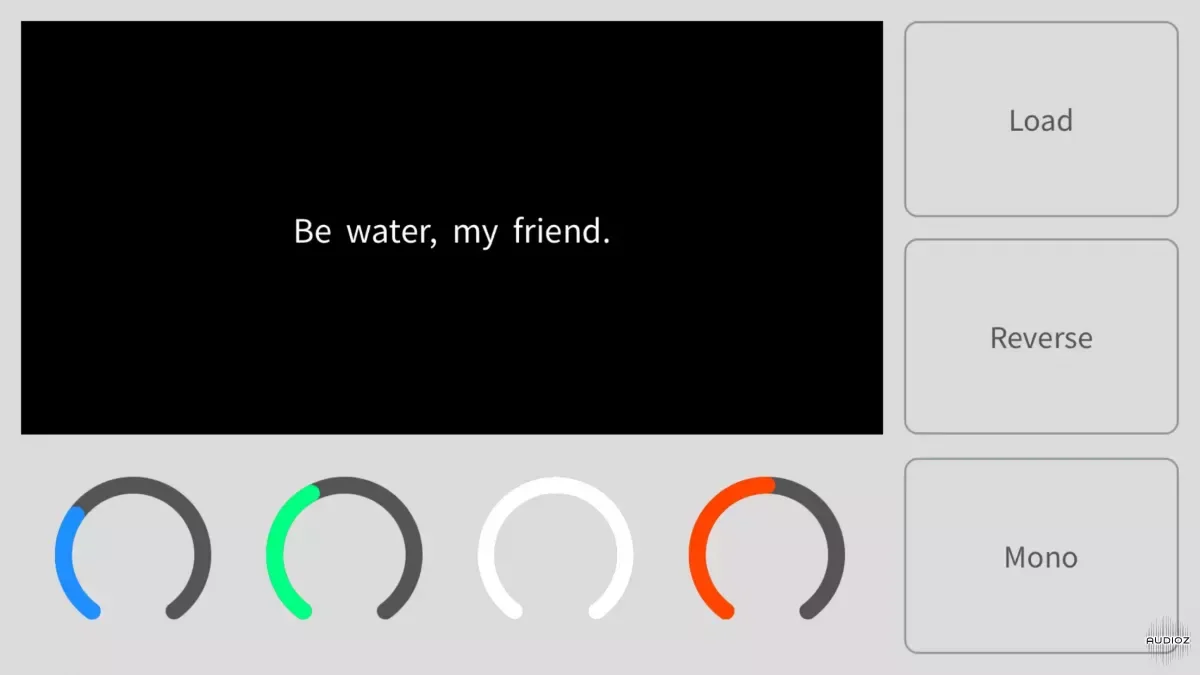
AASamplePlayer turns any sound file into a playable instrument suuuuuper efficiently and universally, just load it up with your favorite DAW and have fun~ -- Michael from GAS Therapy (GAS Therapy is a video series I made on YouTube, focusing on sharing cheaper and better musical gears solutions, now
资源介绍
FREE | WiN/MAC | 8.61MB/16.8MB
AASamplePlayer turns any sound file into a playable instrument suuuuuper efficiently and universally, just load it up with your favorite DAW and have fun~ -- Michael from GAS Therapy
(GAS Therapy is a video series I made on YouTube, focusing on sharing cheaper and better musical gears solutions, now it also becomes a plugin brand, I will continue to share my knowledge under multiple formats. Check it out https://www.youtube.com/c/playpm)
Demo & Tutorial:
4 knobs:
Start point
Attack
Release
Pitch
4 buttons:
Load file - support for audio & video file
Reverse
Mono/poly
Copy file name & open file folder
Others:
64 bit Intel & M1 & M2 macOS support, 64 bit Intel & AMD Windows support
iOS standalone & AUv3 supported ($0.99 in App Store)
Deal with sample files in a clean way, no file duplication or create annoying peak file
No IAP
No internet needed
No virtual keyboard (just play it with DAW keyboard or external one)
Installation:
macOS
AU - copy & paste the extracted component file to this folder: yourcomputername/Library/Audio/Plug-ins/Components/
VST3 - copy & paste the extracted VST3 file to this folder: yourcomputername/Library/Audio/Plug-ins/VST3/
Windows
VST3 - copy & paste the extracted VST3 file to this folder: C:\Program Files\Common Files\VST3
(Or any folder you like, but remember to set scan folder in your DAW)
-
If you couldn't open it on Mac due to signing issue, just open it first, then open Security&Privacy in System Preference, click Open Anyway, reopen your DAW.
-
If you couldn't find the plugin in your GarageBand/Logic Pro X, then try using this command line combination in Terminal to let your Mac rescan all the AUs:
First run:
killall -9 AudioComponentRegistrar
then run:
auval -al
It solves this problem perfectly while I was testing my plugin.
Multiple License Keys are provided in the pack; if one doesn't work, try another.
相关推荐
效果器插件
ArtsAcoustic - Reverb 1.6.0.15、BigRock 1.0.7、CL Series 1.0.19、VST x86 x64(无需安装,SymLink 安装程序)[19.03.2017]
效果器插件
Xfer Records OTT v1.21 x64 x86 VST AU AAX WiN MAC [免费]v1.21


效果器插件
iZotope Photon v2027.0.10 - VRv2027.0.10


效果器插件