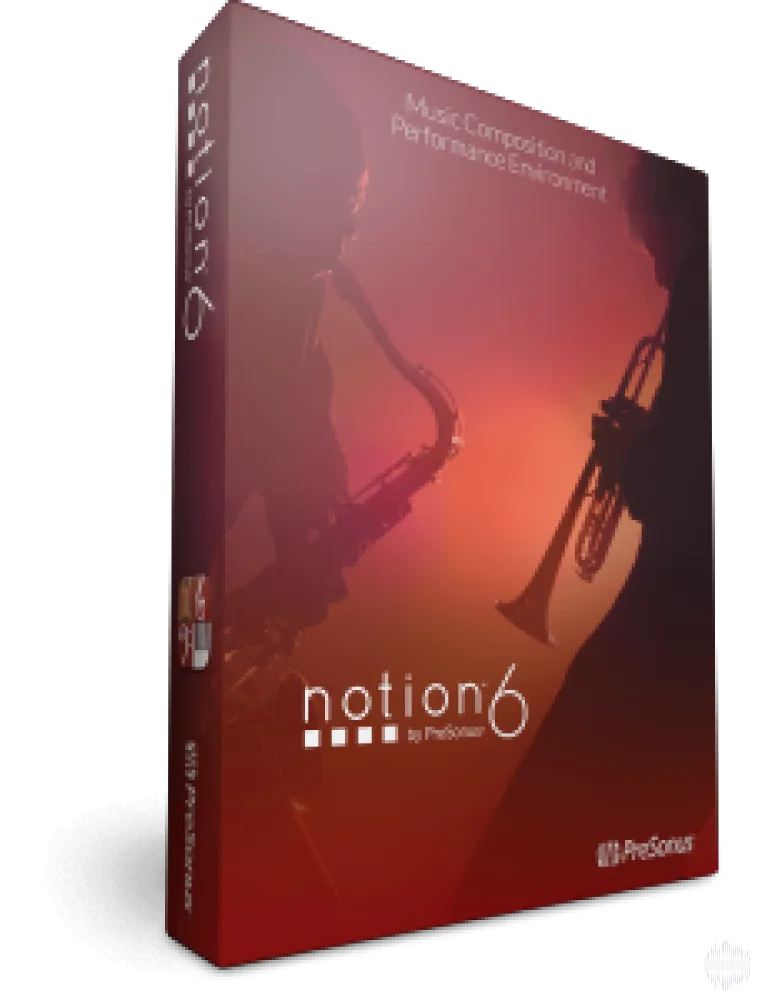
PreSonus Notion v6.6.478 WiN
Bring musical inspirations to life with the blazingly fast and intuitive Notion™ 6 music composition and performance environment. Compose when and how you want and even enter music with your own handwriting. Take projects to the next level with deep integration with Studio One®. Hear and perform mus
资源介绍
P2P | 26 February 2020 | 101 MB
Bring musical inspirations to life with the blazingly fast and intuitive Notion™ 6 music composition and performance environment. Compose when and how you want and even enter music with your own handwriting. Take projects to the next level with deep integration with Studio One®. Hear and perform music with gorgeous samples by the London Symphony Orchestra and others. Deliver polished scores faster than ever before, from complete film orchestrations to simple lead sheets and guitar tab.
Whether you are an instrumentalist, songwriter, composer, arranger, music educator, or student, you’ll find Notion 6 to be the easiest-to-use and best-sounding notation software on the market today. Notion 6: Redefining music notation.
New in Notion 6.
The new features and enhancements in Notion 6 represent the most popular requests from the Notion user community and feedback from users of other notation platforms who are looking to make the switch.
Notable improvements include: cross-platform handwriting recognition; new layout control and features for professional score output; drag to respace measures and systems; new instruments from Soundiron; new video window controls for faster scoring to picture; the new Notion Scores library, with over 100 great works; updated Music XML support for seamless transfer with other apps; MP3 export; MIDI over ReWire for improved integration with leading digital audio workstations; and unprecedented side-by-side workflow integration with Studio One Artist or Professional on the same computer or between multiple computers on the same network.
Notion 6.6 Maintenance Release
Operating System Compatibility
Notion now compatible with dual Xeon / multi-core processors
[macOS] Notion is now ‘notarized’ as required by macOS10.15 Catalina
Please note, Notion 6.6.x will be the final version to support Windows 8 and earlier, and macOS 10.12 Sierra and earlier.
Handwriting
Fix for handwriting engine occasionally stopping during a long session
Fix for subsequent measures sometimes changing after handwriting recognition on an earlier measure
Rests on ledger lines no longer cause an issue
Elements that cross systems (e.g. ties) now supported when using the handwriting area or continuous score view
Adjacent offset notes on ledger lines now don’t transpose on subsequent notes being entered
Fix for handwriting recognition problem on systems that have a repeat line
MusicXML
Now imports grace notes with beaming information
Better handling of imported beaming information
[Win] Fix for arco and pizzicato being abbreviated on export
Fixed occasional duplication of symbols, when exporting legato-accent, and mezzo-staccato
Chords originally imported into Notion from Studio One’s Chord Track, are now exported as expected from Notion
Fix for TAB pitches being wrongly transposed by an octave on export, for non-transposing fretted instruments (e.g. banjo, mandolin, ukulele)
Notation
5-string banjo fret numbers now start at the 5th fret as expected
Lyrics and chord symbols now paste without replacing the notation, after copying a selection that is longer than one measure
Fix for crash if lyrics melisma is followed by a hidden measure (i.e. hidden empty staff / cut section / multi-measure rest)
Fix for crash caused by deleting notes in measures with rhythm slashes in another voice
When in ‘Dark’ theme, note durations are now visible in the cursor if between staves (go to Preferences>Theme>Dark)
Audio
Fix for crash caused by different buffer sizes between Notion and ReWire
Hi-hat foot splash sample fixed
Fix plugin test for shell plugins (Was reported by users of RealStrat)
Fix enabling certain plugins (Was reported by users of Output Movement)
General
[macOS] Ctrl+mouse click on a loaded insert in the mixer, now brings up the “right-click” context menu as expected
Language fixes
User Guide updated
FileHost Included:
Uploaded | Rapidgator | Rockfile | Katfile | Uploadship | Clicknupload | Nitroflare | MexaShare
相关推荐

效果器插件
Slate Digital MetaTune v1.2.3.0 U2B macOS 阅读 NFO-GUISEPPEv1.2.3.0
效果器插件
Slate Digital MetaTune v1.2.3.0 WiN 独立 VST2/VST3v1.2.3.0
效果器插件
ArtsAcoustic - Reverb 1.6.0.15、BigRock 1.0.7、CL Series 1.0.19、VST x86 x64(无需安装,SymLink 安装程序)[19.03.2017]
效果器插件