Signal Perspective Grindbox Mk2 v2.0.0 VST3 AU STANDALONE LiNUX WiN MAC [FREE]
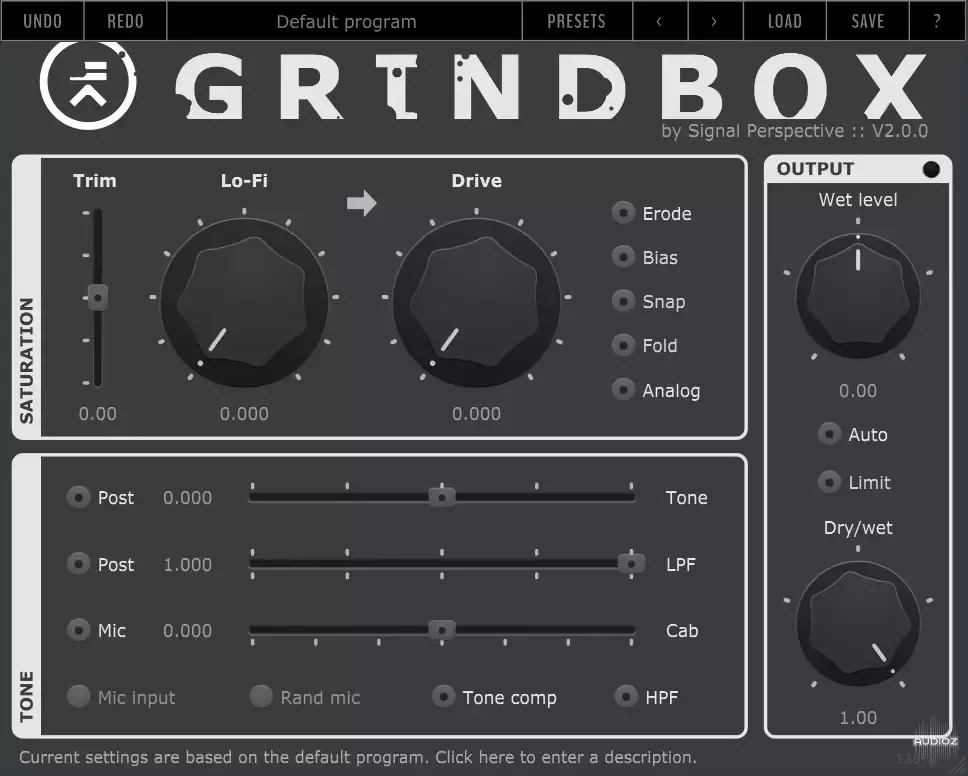
Grindbox is a distortion plugin based on some waveshaping techniques I came up with in the early days of my audio processing endeavour, wrapped in a modern framework with 384kHz oversampling and a fancy interface. It can be used as a simple amp simulator for bass and guitar, or as a versatile satura
资源介绍
18/11/2024 | VST3 AU STANDALONE LiNUX WiN MAC | 24 MB
Grindbox is a distortion plugin based on some waveshaping techniques I came up with in the early days of my audio processing endeavour, wrapped in a modern framework with 384kHz oversampling and a fancy interface.
It can be used as a simple amp simulator for bass and guitar, or as a versatile saturator capable of adding slight coloration, behave like an exciter, or completely destroy the signal.
Features
Continuous morphing between cabinet simulations
Various static transfer functions
Slew rate distortion
Variable topology settings
Microphone simulation
384 kHz oversampling
Built-in limiter
Resonant LPF
Auto Gain
Tilt EQ
Installation
Spoiler:
The plugins are compatible with all Windows 64-bit host applications, and Mac OS 10.13 and above.
Some plugins come with an installer application, if this is not the case, copy the plugins to the appropriate folder:
macOS VST3 folder: ~/Library/Audio/Plug-Ins/VST3
macOS AU folder: ~/Library/Audio/Plug-Ins/Components
Windows VST3 folder: C:\Program Files\Common Files\VST3
Spoiler:
Please note that the plugins are not digitally signed: if you have trouble running the plugin under macOS, try following these instructions, or (in case you are familiar with the Terminal) try typing the following in the os terminal (replace PluginFileName with the name of the downloaded files):
sudo xattr -d -r com.apple.quarantine /Library/Audio/Plug-Ins/VST3/PluginFileName.vst3
sudo xattr -d -r com.apple.quarantine /Library/Audio/Plug-Ins/Components/PluginFileName.component
Important notice about provided preset files
To let the plugin/application see the preset files and show them in the preset menu, be sure to place them in the user documents folder under the /Signal Perspective/PluginName subfolder, without altering the provided tree structure.







