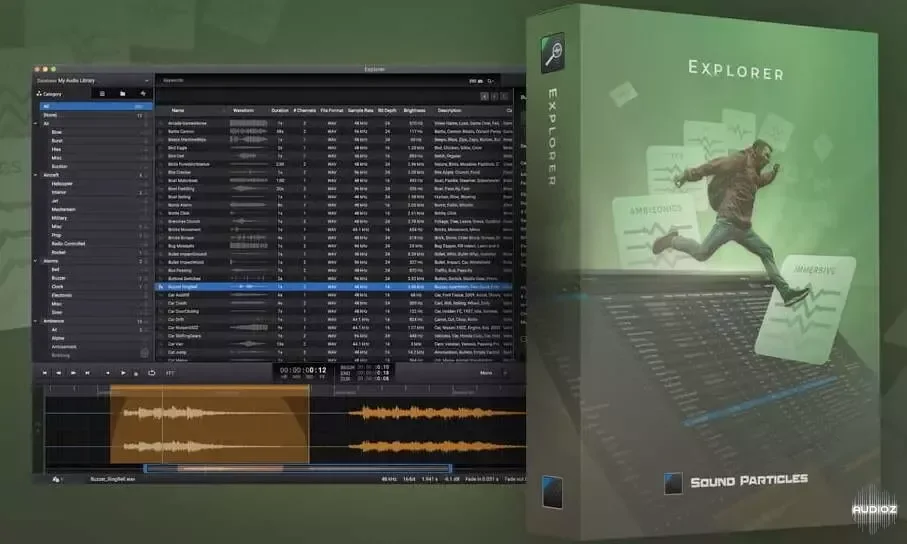
Sound Particles Explorer (Loops Manager And Organizer) v2.1.0 STANDALONE WiN MAC [FREE]
The most powerful way to find and manage your sounds Explorer is a powerful application that allows you to manage your files with enormous control, for free. Designed from the beginning to work with and support surround and immersive formats, you get incredible control over them. Access all your fil
资源介绍
14/02/2024 | STANDALONE WiN MAC | 490 MB
The most powerful way to find and manage your sounds
Explorer is a powerful application that allows you to manage your files with enormous control, for free. Designed from the beginning to work with and support surround and immersive formats, you get incredible control over them. Access all your files easily - from mono to immersive - and organize all your sounds with a fast, modern and immersive approach. Listen to your files as they were intended, in any format. From sound designers to assistant editors, this is the tool that has everything you want to hear in one place. Spend less time searching for sounds and more time creating.
Immersive audio
Explorer supports mono, stereo, surround and immersive formats (Dolby, HOA, Ambisonics,…)
Metadata
Playback your files while checking waveforms, channels, sample rate, descriptions, categories, formats, brightness, peak, energy, rating, and much more
Binaural playback
Listen to files in the right format, and if you only have headphones, you can hear it in binaural
Drag any file
Import or drag files and folders directly to Explorer and categorize them according to the Universal Category System
I/O Manager
Introducing I/O Manager: Binaural monitoring (including SOFA), advanced routing (with gain), Ambisonics decoding, and much more
Bass Management
Bass management to empower your listening experience to the fullest
Playlist creation
Several organization options: category (UCS), playlists, folders, sample rate, and more
Flags, stars and Nr of listens
Flag your favorite files to have them ready at all times, rate the audio files from 1 to 5 stars and see the sounds that you’ve used (exported) the most in the past
Inspector
Have a preview of the audio waveform while you are navigating through the table, see an overview of the properties of your audio file, see the metadata embedded in the file and add personalized notes to each audio
Search tags
Create search tags by category, playlists, folder paths, flagged audios, or even audio file properties such as Sample Rate, File Format, Audio Format
Search tools
Search for the keywords you are looking for or exclude certain words, set matching conditions, have multiple searches at the same time to improve your workflow
Brightness levels
Look for the brightness of the file to help you find the sound that best fits what you’re searching for
Time display
You can have multiple displays in Explorer with different time units depending on the project you are working on, as well as tempo and selection display
Effects
Quickly add effects to the selected sound before exporting, such as Pitch shifter, Clip Gain (amplify), Polarity inversion, Reverse, Whoosh effect and Normalization
Convert files
If you simply want to convert a file between formats the mini editor has a Convert button directly for your desired format to speed up your work
Export directly
Quickly export the edited or original file to your project by just choosing the destination location
Export options
Export the edited or original file with more options for the exported file (Sample Rate, Bit Depth, File Format, Channels, Metadata, Include Fades, Interleaved)
Spot to DAW
Spot the selected audio directly to your favorite DAW (Live and Audition only available for Mac users)
Spot to video
All Mac users can spot directly to Adobe Premiere and Adobe After Effects
System Requirements
MINIMUM
OS
Mac OSX 10.13 or higher
Intel and native Apple Silicon Macs
Windows 10 or higher
CPU
2-core or higher
RAM
4 GB or higher
Disk Space
300 MB
Changelog:
v2.1.0
New Features
Explorer can now detect the Spot to target, based on the applications running
Explorer can now Spot to Ableton Live (Mac)
Explorer can now Spot to Adobe Premiere (Mac)
Explorer can now Spot to Adobe After Effects (Mac)
Explorer can now Spot to Adobe Audition (Mac)
Explorer can now Spot to Studio One (Mac + Windows)
Explorer now supports the shortcut CMD + F / CTRL + F to quickly focus on the search field
Resolved Issues
Explorer now ensures that the current session is valid to avoid problems when downloading audios
Explorer no longer crashes when importing specific cloud file
Fix glitch on UI (cloud audio number)
Playback Volume no longer resets every time a new audio is selected
v2.0.1
New Features
SFX Cloud service added to Explorer App
SFX Cloud service to subscribed users is now available
Explorer UI has been upgraded and has a new layout
Explorer now recalls all settings when the user reopens the App
Resolved Issues
Explorer no longer crashes when importing corrupted files
EXPLORER (Standard Version)
Unlimited local files
All Explorer features
Supports all formats (including surround and immersive)







