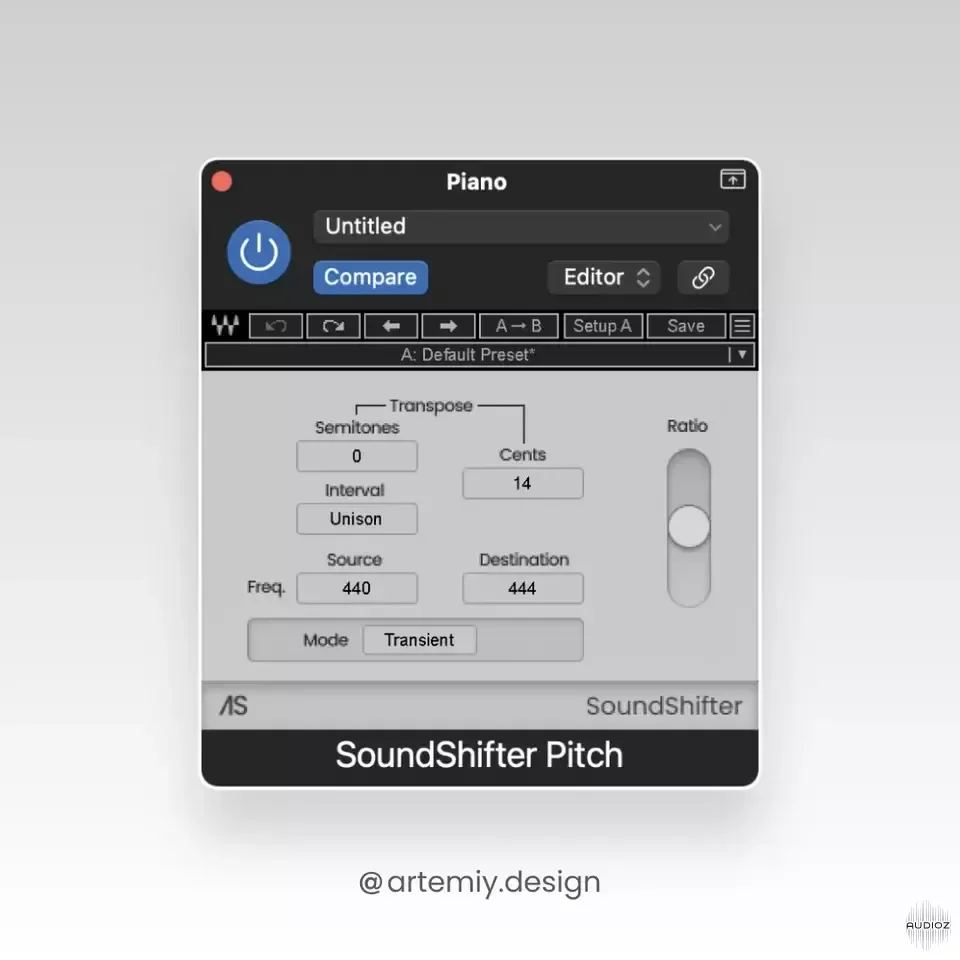
Waves SoundShifter redesign by @artemiy.design FREE
Found this skin on reddit. Fairly ok in my opinion, at least it's better than the stock one. Installation copied from the readme file: 1. Unpack the SoundShifter_artemiy.design.zip (if you're reading this, you've already done that). 2. Go to into the "Files" folder, select all the files and copy the
资源介绍
Skin | 70.08 KB
Found this skin on reddit. Fairly ok in my opinion, at least it's better than the stock one.
Installation copied from the readme file:
-
Unpack the SoundShifter_artemiy.design.zip (if you're reading this, you've already done that).
-
Go to into the "Files" folder, select all the files and copy them.
-
Locate the PNG_.zip file for SoundShifter
On Mac you can go to /Applications/Waves/Plug-Ins V14/SoundShifter.bundle/Contents to find it.
4.Unpack the file
5.Rename the original (like PNG_orig)
6.After unpacking the PNG_.zip you'll see a folder with the same name.
7.Go inside the folder and replace the files with the ones you copied.
8.Compress the folder into a .zip archive. Make sure the archive is called "PNG_.zip". This is very important for the skin to work.
9.Done! Reload the plugin and you'll see the new skin.