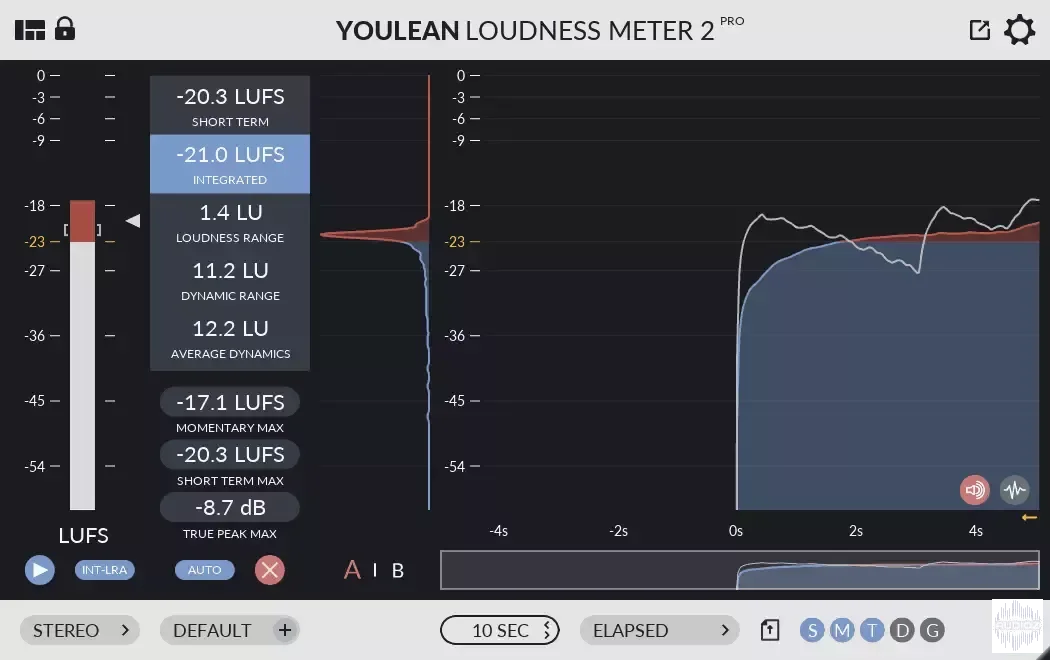
Youlean Loudness Meter 2 v2.5.6 RC1 x64 x86 VST VST3 AU AAX STANDALONE WiN MAC [FREE]
08/01/2024 | x64 x86 VST VST3 AU AAX STANDALONE WiN MAC | 267 MB Youlean Loudness Meter helps you find the true perceived loudness of your audio and prepares it for TV or streaming services release. Join the thousands of recording studios that already use it. 100% accurate metering The plugin is cal
资源介绍
08/01/2024 | x64 x86 VST VST3 AU AAX STANDALONE WiN MAC | 267 MB
Youlean Loudness Meter helps you find the true perceived loudness of your audio and prepares it for TV or streaming services release.
Join the thousands of recording studios that already use it.
100% accurate metering
The plugin is calibrated and tested against ITU-R BS2217 testing materials.
It satisfies all requirements defined in ITU-R BS.1770 document.
DAW plugin & APP
Works in almost any DAW: FL Studio, Logic Pro X, Final Cut Pro X, Ableton Live, Reaper, Cubase, Pro Tools…
Available as application, VST2, VST3, AU and AAX plugin formats, Windows and macOS operating systems.
Measure Loudness
Helps you comply with strict loudness requirements for the Film and TV industry.
Helps you get the correct loudness levels for upload to Spotify, YouTube, Apple Music, Apple Podcast, Amazon Alexa, Amazon Music, Tidal, Deezer, Netflix, HBO, and Disney+.
Measure Dynamics
Prevent your mix sounding crushed and unprofessional.
Get the most out of your mix, make any track sound great on all streaming platforms!
Changelog:
Spoiler:
V2.5.6 – December 29, 2023
Fixed broken GUI text in drag & drop when GPU acceleration is off
Fixed GUI lag when overwriting measurements in Pro Tools
Fixed crash in auval tool on macOS
Fixed crash with VST3 in Reaper on macOS
Fixed audio output broken in Audacity with VST3
Fixed top and bottom bars not hiding after project reload
Updated CSV export file to include all measurements
It is no longer mandatory to use “–export” for exporting in the command line tool
You can now use “–preset-import-path” to import a preset from a custom location via the command line
Various small fixes and stability improvements
V2.5.5 – November 22, 2023
Added 49 new channel configuration options
Added a button to quickly copy current measurements summary in the clipboard
Added a system to check if audio input is detected, and host playback is paused preventing measurements in
Elapsed histogram mode
Added ability to analyze up to 24 channel audio
Added ability to register the PRO version from the command line tool
Added option to always show all channels for peak meters
Added option to force multi-mono export for normalized file
Added option to hide full file paths in exports
Added option to write BWF metadata to normalized files
Drag and drop file info text will show file name only
Fixed crash when GPU acceleration is disabled.
Fixed message box showing the same messages concurrently
Fixed resetting bug when rendering in SADiE
GUI scaling was reset to a default value
Holding CTRL + ALT on Windows, or Command + Option on macOS and dragging the resize corner will scale the meter interface
Improved compatibility with SADiE
Improved design for standalone app preferences
Improved general stability
Peak meters will now automatically resize based on the channel count.
Plugins and standalone app will now automatically select the best audio channel preset for you (if the feature is available in the host)
Updated GUI scaling code. Windows will now support per-monitor DPI scaling
Using multi-mono files for normalization will now export multi-mono files instead of the single file
You can now analyze and normalize 1,2,3,4,5,6,7,8,9,10,11,12,13,14,15,16, and 24 channel audio.
V2.5.4 – July 19, 2023
Fixed text summary and Command Line true peak max showing max short term value
Fixed “USE DRAG & DROP FILE NAME” not working for file export
Fixed crash when trying to change the export name on some Windows 10 systems
Fixed GUI glitches with the free version
Disabled double click to reset scaling on the resize corner
Added license version info to the help menu
V2.5.3 – July 10, 2023
Added 3s and 5s windows sizes
Added 8k and 16k image export resolutions
Added a helper panel for showing drag and drop channel configuration
Added ylm2 command line tool that can be used for analysis, normalization, and file export
Added ability to analyze FCPX clips directly with drag and drop
Added auto width expand export option
Added Dolby Media Meter CSV export
Added export range options with BWF metadata support
Added file browse panel for selecting individual and multi-mono files
Added more content options like drawing a true peak graph
Added option to automatically export graphs after analysis
Added option to bold loudness target line in the graph
Added option to bold true peak max line in the graph
Added option to disable drag and drop normalization
Added option to disable finish animation after drag and drop
Added option to disable or enable graph fill
Added option to hide top and bottom bars on the interface
Added option to import/export presets
Added option to select a more dense scale, or streaming scale where -14 is always visible
Added option to select graph sampling type. This will affect the graph’s appearance when you use a long zoom size.
Added option to select monochrome, horizontal, or vertical graph coloring
Added option to select the normalization file format
Added option to show all measurements export option
Added option to show color thresholds as a background below the graph
Added option to show color thresholds numbering on scale
Added option to use drag and drop folder path for export
Added path stroke export options
Added Recalculate Selection Technology. Select the part of the graph you want to recalculate
Added system default option for app audio sample rate
Added test files that can be used for analysis and normalization in free and PRO version
Added text summary file export option
Added true peak graph histogram view
Apostrophes are now allowed in the export file name
Auto reset will automatically be disabled if using time code mode
File export will now exclude the start offset
Fixed audio glitches when using low buffer size and high sample rate
Fixed crash when switching the A/B states
Fixed crash when trying to replace the exported file
Fixed dialogue percentage not saved in graph export
Fixed double click to enter a value not working for alerts when the relative scale is active
Fixed drop-down menu not responding on macOS
Fixed hang on load
Fixed Pro Tools AudioSuite in some cases cuts measurements if previous measurements are not cleared manually
Fixed Pro Tools crash when saving a session
Fixed the “audio processing deadline was not met” problem when working at 10h timeline
Fixed true peak alerts showing in the histogram graph if the true peak threshold is hit
Fixed Windows crash with mp4 drag and drop
Fixed Windows installer always adds a desktop icon
GUI drawing is 2x faster. When working in time code mode, speed up is even more significant
Histogram position will not change if the playback is stopped and time code histogram mode is used
Image export timeline will switch to time code if using time code histogram mode
Improved start-up speed
Input gain correction is now app setting only
Lowered brightness of “Created with Youlean Loudness Meter” on export pictures
Normalization now supports input files greater than 4 hours in length
Optimized drag and drop and increased speed by up to 3.7x times
Plugin loading is now 34% faster
Project saving is now 10x faster.
Removed 32-bit AAX plugin support for Windows
Removed graph reset when switching the histogram mode
The audio driver is now disabled by default for standalone APP
The dynamics color “knob” improved the handling of the mouse clicks
The dynamics color button will now be displayed with the gradients like in the graph
The meter will now smartly exclude all data at the start of the time code if necessary
Updated targets UX
You can now click on the “PAUSED” text to resume measurements
Added ATSC A/85 DIAL preset
V2.4.4 – April 1, 2023
Added support for AAX Apple Silicon native
V2.5.2 – BETA – April 25, 2022
Fixed crash when showing a message box
V2.5.1 – BETA – April 24, 2022
Fixed normalization bug
Fixed window resizing bug
V2.5.0 – BETA – April 23, 2022
Fixed APP crash when unplugging audio device on Windows
Fixed AudioSuite not resetting before analysis
Fixed PDF export missing some peaks in the true peak graph
Fixed a nasty bug causing crashes when having multiple plugins loaded at the same time. (might improve stability overall)
Fixed app freeze when changing audio driver type on Windows
Fixed app not closing completely in some cases on Windows
Fixed crashes for Windows standalone app and bad audio drivers
Fixed message box blocking UI on macOS
Fixed some alerts shouldn’t change when relative loudness scaling is activated
Added AES Streaming Short Form preset (commercials <60s)
Added ITU-R BS.1770-1 DIAL and ITU-R BS.1770-2 DIAL presets
Added an ability to test drag and drop in the free version with test files
Added audio pass through option for the standalone app
Added file loudness normalization with WAV export
Added min alerts for momentary, short term and true peak hold readouts
Added normalization verification for double checking normalized file
Added option to require target hit for normalization
Added preset popup infobox
Changed view settings icon
Disabled multi-mono plugin type in Pro Tools
Enabled all histogram modes in standalone app and plugin hosts that don’t support these features. Auto reset will not function in some cases.
Improved preset system
The minimum OS version for macOS is now 10.11
Old custom presets will auto upgrade to the new presets
Reduced vertical size of the interface
Removed 32-bit AAX plugin on Windows
Under the hood optimizations
Updated AAX SDK to the latest version
Updated VST3 SDK to the latest version
Other small UI, UX improvements







