ZL Audio ZL Equalizer v0.4.3 WiN Mac Linux [FREE]
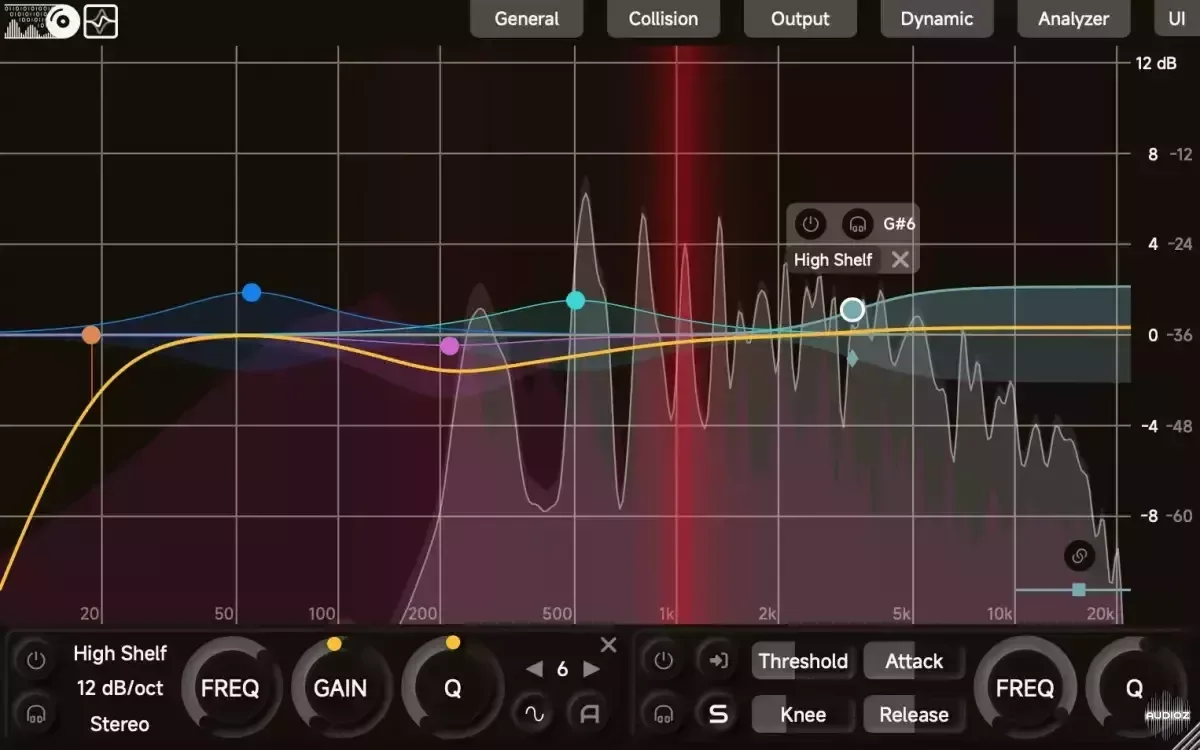
ZL Equalizer is a 16-band minimum-phase dynamic digital equalizer plugin with the following key features: Multiple Filter Settings: Supports 16 frequency bands, 8 filter types, 5 stereo modes, and 7 variable slopes. High-Quality Sound: With 64-bit floating-point processing and de-cramping technique,
资源介绍
Free | Win Mac VST3 AU | 38 MB
ZL Equalizer is a 16-band minimum-phase dynamic digital equalizer plugin with the following key features:
Multiple Filter Settings: Supports 16 frequency bands, 8 filter types, 5 stereo modes, and 7 variable slopes.
High-Quality Sound: With 64-bit floating-point processing and de-cramping technique, outstanding performance is ensured in both low-end and high-end.
Adjustable Dynamics: Adjustable threshold, attack, release, and side-chain frequency, etc.
Carefully Designed Interface: Interactive spectrum graph, smart collision detection, and smooth animations.
0.4.3
change the top panel layout (move global bypass and sgc buttons outside)
change the UI setting panel layout
add the resizing to default size function to UI button
add default pass filter order & slider double-clicking to the UI setting panel
add colour maps to the UI setting panel
add fft resolution to the UI setting panel
fix incorrect latency when the samplerate changes after loading the plugin
fix combobox displays in Standalone
improve matched phase mixed phase under high samplerates
improve spectrum display accuracy in the high-end
0.4.2
AAX is updated in this version. Occasionally you may have to remove the old version manually.
add & change slider value editor shortcuts
open value editor with Ctrl/Command + mouse double-clicking for ALL sliders
fix incorrect curve display when adjusting scale
fix macOS compatibility issue (now it should support macOS 10.13 and above)
improve mixed phase phase shift continuity
0.4.1
AAX is updated in this version.
add parallel filter structure
add match-phase filter structure
add mixed-phase filter structure
add linear-phase filter structure
add & change shortcuts
fine-adjust dragger with Shift
find-adjust slider with Shift (changed from Ctrl/Command)
add a dynamic filter with Ctrl/Command + mouse double-clicking
turn on/off dynamic with Ctrl/Command + mouse double-clicking on the dragger
change real curves to ideal curves
change default FFT order to 12 to increase low-frequency details
add phase-flip button and change the Output panel layout
add more freedom to the plugin window size
improve solo and global bypass
improve DSP & GUI stability
improve DSP & GUI performance







